


Chegg Study - Homework Helper
3.27.91K Reviews
App Specs
- Version
- 15.40.0
- Updated On
- License
- Free
- Downloads
- 10,000,000+
- Developer
- Chegg, Inc.
- Categories
- Education
- Platform
- Android
Screenshots


 Analysis by AppCompare
When I use a study app between classes or at home, the first practical question is whether I can get useful help at the moment I need it. Chegg Study - Homework Helper is built around looking up course material and asking questions, so a reliable connection matters: searching a textbook, opening explanations, and sending a question all depend on being able to reach the service. I find it most helpful when I treat it as a study companion for specific sticking points, rather than a replacement for my notes, lectures, or own attempts.
Getting useful help from a study session
The app is an education tool from Chegg, Inc., and its focus is academic support: textbook solutions, expert Q&A, video explanations, and study materials. It is free to install, though in-app purchases range from $0.99 to $15.99 per item. That makes it worth checking what access a particular feature requires before building a routine around it. Its average rating is 3.3 from around 47,000 ratings, a mixed result that fits an app whose usefulness can depend heavily on whether its materials match your class and how you use the answers.
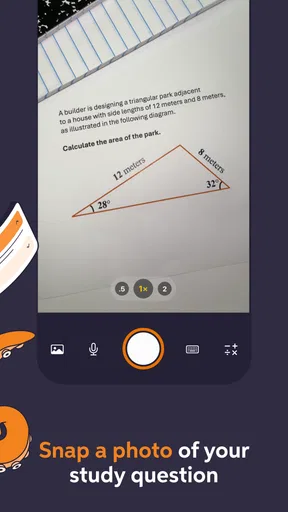
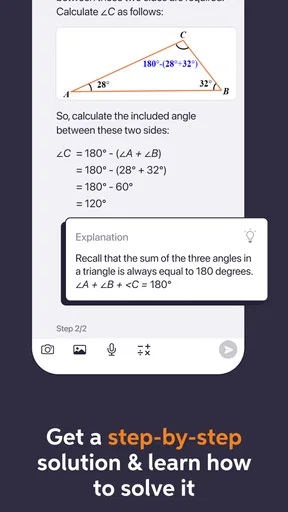
One of the coolest features is the textbook solutions. You can search for your textbook by title or ISBN, and voila! You get step-by-step solutions to problems from your book. It’s like having the answer key, but with detailed explanations. This is especially handy when you’re stuck on those pesky math problems that just won’t make sense.
I get the best value from a solution when I first try the problem myself, then use the explanation to locate the step where my reasoning went off track. Copying a worked answer may get me past tonight’s assignment, but it does little for a quiz tomorrow. A useful habit is to close the explanation after reading it and redo the problem from a blank page; if I cannot reproduce the method, I have found a topic to review rather than a reason to move on.
Textbook lookup can also be a better starting point than a broad web search when the class follows a particular book. Matching by ISBN helps narrow the search to the edition I actually use, which matters when problem numbers or examples differ between editions. I still check the question wording carefully before relying on a result. A similar-looking exercise is not automatically the same one, and a solution only helps if it addresses the exact concept my instructor expects.
Now, if you’re more of a visual learner, don’t worry; Chegg Study has got you covered. The app includes video walkthroughs for a variety of subjects. It's like having a video tutor who explains complex concepts in a way that’s easy to understand. Plus, you can replay them as many times as you want until the topic clicks.
Questions, explanations, and the limits of a quick answer
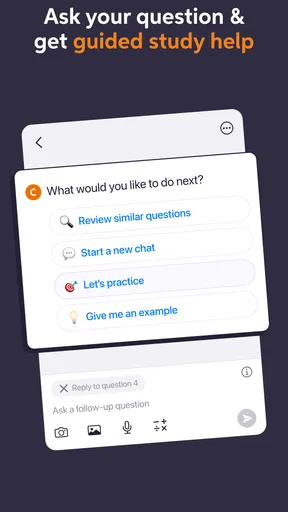
Have you ever been in a situation where you have a question at 2 a.m. and there’s no one around to help? With the Expert Q&A feature, you can post your questions and get answers from verified experts. This feature is like having a round-the-clock hotline to academic support.
Worth Reading Before You Choose

EA SPORTS FC Mobile 26 Is a Bigger Football Game, but It Takes Time

Flipboard Shows What News Apps Must Do Beyond the Feed

Switching to Android Auto Means Rethinking Your Driving Routine

Google Calendar Makes a Crowded Week Easier to Manage

Ludo King Makes the Most of the Minutes Between Plans

Baby Panda World Brings Quick Play to Modern Phones, but Its Game Library Feels Busy
The responses are usually quick, and the quality is top-notch. It’s not just about getting the right answer; it’s about understanding the "why" and "how," which is crucial for mastering any subject.
For a question that needs an explanation specific to my work, I find it useful to show the steps I already tried and identify exactly where I became unsure. That gives an answer a clearer target than a bare request for a result. I also treat expert help as a way to check my understanding, not as a substitute for asking my teacher about course-specific expectations or grading rules.
There is a trade-off between asking and searching. If I am unsure of a standard method, a textbook solution or video can give me an immediate example to study. If my confusion concerns why a particular step is valid, a written question may be more relevant, but it takes more effort to explain the problem clearly and wait for a response. Neither route guarantees that the material will line up perfectly with the way my class teaches it.
Using the app around classes and study time
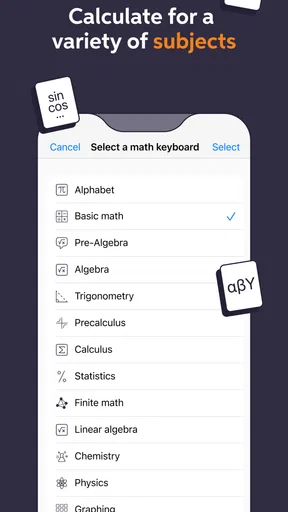
Let’s talk about the app's usability. The interface is clean and intuitive, which means you spend less time figuring out how to use it and more time actually studying. Navigation is a breeze, and everything you need is just a few taps away.
There’s also a handy search feature that lets you find solutions, videos, and expert answers quickly. Plus, the app’s performance is pretty smooth, even when you’re juggling multiple queries at once.
A realistic use for me is a short gap between lectures: I can look up a question I marked in my notes, compare the worked steps with my attempt, and write down one point to revisit in a longer study session. On a bus or in a busy hallway, that kind of focused lookup is more practical than spreading out a textbook and several papers. But I would not leave an important search until the last minute if my connection is unreliable; when a resource has to load from an online service, a dead zone can turn a quick check into a delay.
That network dependence is also why I plan a little differently for study sessions. If I know I will be working somewhere with poor reception, I try to identify the questions I need to investigate while I still have a connection, and I keep my own notes available as a backup. I do not assume that a page I viewed earlier will remain accessible later. For uninterrupted preparation, downloaded class materials or a printed set of notes can be the safer foundation, with Chegg used when I can connect.
When a search fails or a page stalls, I first check that the question or book details are specific enough, then try again when the connection is steadier. I avoid repeatedly submitting the same question in a hurry; pausing to see whether the first attempt went through helps prevent confusion. If I cannot get an explanation in time, I switch to the course textbook, lecture notes, or a classmate’s study group instead of letting one app become a bottleneck.
Extra practice and choosing the right study method
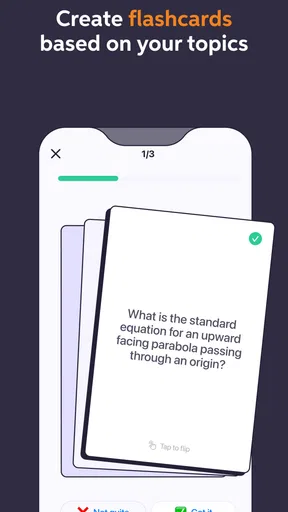
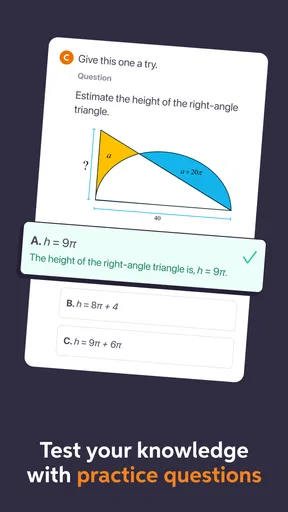
While the app shines in academic support, it also offers some additional perks. For instance, Chegg Study provides access to flashcards and practice quizzes, which are great for test prep. These features help reinforce what you've learned and ensure you’re ready for exams.
Another underrated aspect is the app’s community. You can connect with other students through study groups, which is fantastic for collaborative learning. It’s like having a study buddy, minus the scheduling conflicts.
I would use flashcards and quizzes for recall practice, then reserve worked solutions for problems where I need to understand a process. That division matters: recognizing a definition is different from being able to solve a multi-step question without prompts. A practical routine is to quiz myself first, note the questions I miss, and use explanations only for those weak areas. It keeps the app from becoming an endless browsing session and makes the next study block more focused.
Compared with searching the open web, Chegg’s textbook-centered approach can make it easier to find help tied to a course book, while general search results may offer more varied explanations and examples. A class discussion or instructor is usually better for interpreting a professor’s specific instructions; a study group can also reveal how other students are reasoning. I see the app as most useful for independent review and targeted clarification, not as the only place to learn a subject.
Who will benefit, and what to weigh
Okay, so no review is complete without mentioning a few things to consider. While the app is incredibly helpful, it does require a subscription. However, if you think about the cost of hiring a tutor or buying extra study guides, it’s actually a pretty good deal.
Also, while the app covers a wide range of subjects, it might not have every textbook or answer every question. But honestly, the breadth of content available is impressive and constantly expanding.
The app is a stronger fit for students who already know what they are studying and want a worked example, a fresh explanation, or structured practice. It is less suitable if you expect every course question to be covered, need help that follows a teacher’s exact method, or have limited internet access at the times you study. Before paying for access, I would check whether the books and subjects I rely on are actually useful to me and whether the available purchase options make sense for my needs.
Chegg Study is free to download and rated for Everyone, so the basic decision is less about age or an upfront download cost and more about whether its paid access and online workflow suit your habits. It has over five million installs, and version 15.33.0 requires Android 8.0 or later. Those details make it accessible to many Android users, but they do not change the central question: will its explanations support the way I learn, and can I reach them when I need them?
Overall, the Chegg Study - Homework Helper app is a game-changer for students. It’s like having your own personal study assistant, ready to help whenever you need it. Whether you’re cramming for finals or just trying to get through your daily homework, this app is definitely worth a try. So, why not give it a go and see how it can transform your study routine? Trust me, your GPA will thank you!
My connectivity verdict
I would recommend it to a friend who wants a convenient way to investigate homework questions, review examples, and practise before exams, provided they are comfortable studying online and checking the cost of the features they need. I would not rely on it as my sole study resource, especially when travelling through areas with patchy service or when an assignment depends on a precise course-specific explanation. Used alongside personal notes and class materials, it can make a connected study session more productive; when the connection is the weak link, having another route to the material is the sensible choice.
Pros
- Extensive library of textbook solutions.
- 24/7 expert help for tough questions.
- User-friendly interface and navigation.
- Personalized study recommendations.
- Available on both Android and iOS.
Cons
- Subscription required for full access.
- Occasional technical glitches reported.
- Limited offline access for content.
- Some solutions lack detailed explanations.
- High dependency on internet connectivity.
FAQs for Chegg Study - Homework Helper
What features does Chegg Study offer to help with homework?
Chegg Study provides a variety of features to assist students with their homework. These include step-by-step solutions to textbook problems, expert Q&A where students can ask questions and receive detailed answers, and access to millions of flashcards. The app is designed to support various subjects, making it a versatile tool for learners.
Is Chegg Study available for both iOS and Android devices?
Yes, Chegg Study is available for download on both iOS and Android platforms. This ensures accessibility for a wide range of users, allowing them to take advantage of its features regardless of their device preference. Users can find the app on the App Store for iOS and Google Play Store for Android.
Does Chegg Study offer a free trial or is it entirely subscription-based?
Chegg Study typically offers a free trial period for new users, allowing them to explore the app's features before committing to a subscription. After the trial, users must subscribe to continue accessing the premium services, such as expert Q&A and detailed textbook solutions, making it important to evaluate its value during the trial.
How reliable are the solutions and answers provided by Chegg Study?
The solutions and answers on Chegg Study are created by subject matter experts, ensuring a high level of reliability and accuracy. However, it’s always recommended for users to review the material and cross-reference with their textbooks to ensure comprehension and applicability to their specific coursework.
Can Chegg Study be used offline, or is an internet connection required?
Chegg Study primarily requires an internet connection to access the full range of features, such as expert Q&A and updated solutions. However, users can save certain materials for offline use, which is convenient for studying when internet access is limited. It's advisable to download needed content beforehand if planning to study offline.


